
What Is AI Automation and How It Transforms Your Business
 Vladimiros Mykogian6 Αυγούστου 2026
AI automation is the use of artificial intelligence to perform tasks, make decisions, and execute workflows that previously required human effort. If you are asking "what is AI automation and does it apply to my business right now?", the short answer is yes. Done right, AI automation does not just speed things up: it eliminates entire categories of repetitive work, surfaces insights from data in real time, and lets your team focus on the work that actually moves the needle.
If you are a startup founder or a business leader, the longer answer is in everything you are about to read.
What Is AI Automation, Really? (No Jargon)
Traditional automation follows fixed rules. A script runs when a condition is met. It does exactly what you programmed it to do, nothing more.
AI automation goes further. It uses machine learning models, large language models (LLMs), and intelligent agents to handle tasks that involve judgment, pattern recognition, or natural language. Think of it as the difference between a vending machine and a skilled assistant who learns your preferences over time.
In practice, AI automation can:
- Read and classify incoming emails, then route or respond to them automatically
- Generate first-draft content, reports, or code based on a prompt
- Monitor a data pipeline and flag anomalies before they become outages
- Handle customer support queries end-to-end with a conversational AI layer
- Extract structured data from unstructured documents like invoices or contracts
The key shift is from rule-based to reasoning-based. The system can handle edge cases, adapt to new inputs, and improve with feedback.
The Core Components Behind AI Automation
Understanding what makes AI automation work helps you make smarter decisions about where to apply it. Most production-grade AI automation stacks include at least three layers:
1. The Intelligence Layer
This is typically a large language model (GPT-class models, open-source alternatives like Llama, or domain-specific fine-tuned models) or a machine learning model trained on your own data. It does the "thinking."
2. The Orchestration Layer
Tools and frameworks that chain multiple AI calls together, pass context between steps, and trigger actions. A customer support automation, for example, might retrieve a user record, call the LLM to draft a reply, and then push that reply through an API to your helpdesk, all in a single automated flow.
3. The Integration Layer
APIs, webhooks, and connectors that link the AI workflow to your existing systems: your CRM, your database, your e-commerce platform, your internal dashboards. Without this layer, your AI automation is an island.
Where AI Automation Delivers the Fastest ROI
Not every process is equally ready for automation. The highest-return targets share a few traits: they are high-volume, time-consuming, rule-adjacent (mostly predictable, with some judgment calls), and currently bottlenecked by human bandwidth.
Customer support and triage. An AI layer can resolve tier-1 queries instantly and escalate complex cases to a human with full context already attached. Many product teams see a 40 to 60 percent reduction in first-response time after implementing this correctly.
Data entry and document processing. Contracts, invoices, onboarding forms: AI automation can extract, validate, and push structured data into your systems in seconds, not hours.
Internal reporting and business intelligence. Instead of an analyst manually pulling weekly numbers, an automated pipeline can generate a plain-language summary of your key metrics and surface what changed and why.
Software development workflows. AI-assisted code review, automated test generation, and intelligent CI/CD pipelines are already standard practice in engineering-forward teams. They reduce review cycles and catch regressions earlier.
Lead qualification and outreach. Scoring inbound leads, personalizing follow-up sequences, and flagging high-intent signals can all run automatically, so your sales team spends time only on conversations that matter.
Common Mistakes to Avoid When Implementing AI Automation
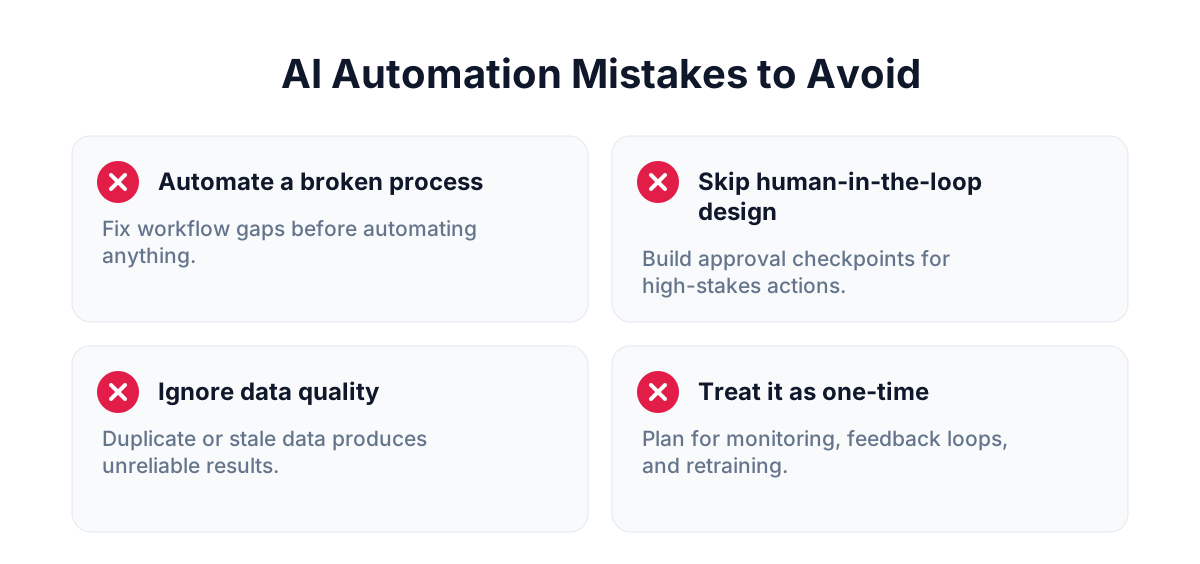
Speed of implementation often causes teams to skip the steps that determine whether the automation actually works.
Automating a broken process. AI will execute a flawed workflow faster and at scale. Before you automate, map the process and fix the obvious gaps. Garbage in, garbage out, only faster.
Skipping the human-in-the-loop design. Not every decision should be fully automated on day one. Build in checkpoints where a human reviews or approves output, especially for customer-facing or high-stakes actions. You can remove those checkpoints later once confidence is established.
Ignoring data quality. AI models are only as good as the data they are trained on or retrieve from. If your CRM has duplicate records and your product database has stale entries, your automation will produce unreliable results.
Treating it as a one-time project. AI automation requires monitoring, feedback loops, and periodic retraining or prompt refinement. Build that maintenance into your roadmap from the start.
How to Choose What to Automate First
A practical first step is a simple effort-versus-impact matrix. List your most time-consuming internal workflows. Score each one on two axes: how much time it consumes per week, and how predictable the inputs and outputs are.
Start with high-volume, high-predictability tasks. A task your team does 200 times a week with a consistent structure is a much better first automation candidate than a complex strategic decision that happens quarterly.
A small SaaS team might start by automating their customer onboarding email sequence using an LLM to personalize each message based on the user's sign-up data. That is low risk, fast to build, and immediately measurable.
From there, you expand. The first automation teaches you how to instrument, monitor, and improve. That learning compounds fast.
Building vs. Buying: The Right Call for Your Stage
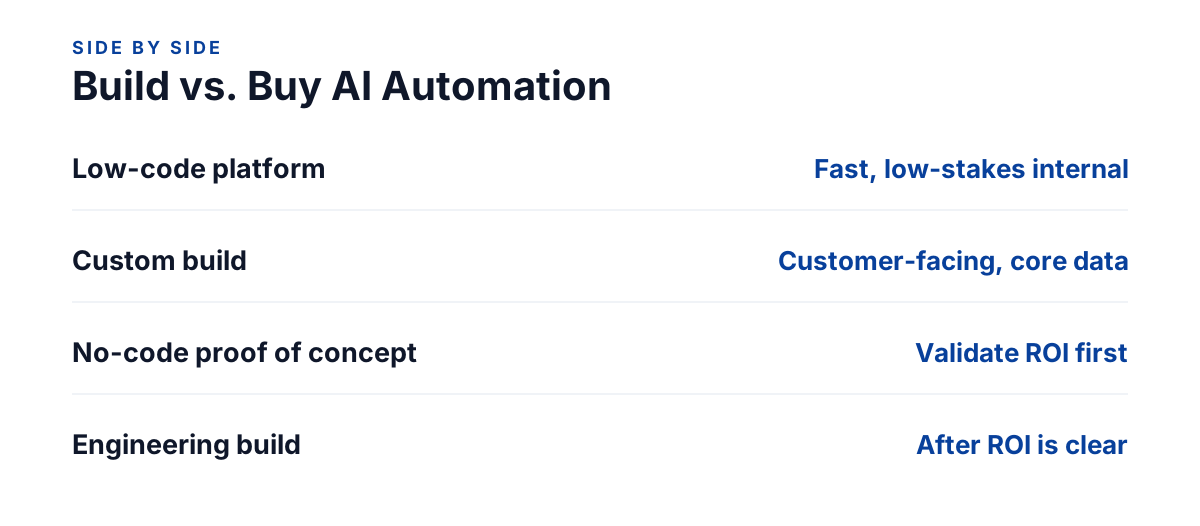
There is a spectrum of options when it comes to implementing AI automation. At one end, low-code platforms let non-technical teams connect tools and add basic AI steps without writing code. At the other end, fully custom AI automation built on your stack gives you precision, control, and competitive differentiation.
The right choice depends on your use case, your team's technical maturity, and how central the automation is to your product. If the automation is customer-facing or deeply integrated with your core data, a custom build almost always outperforms a patched-together no-code stack in the long run.
If it is purely internal and low-stakes, a lighter solution gets you to value faster.
The decision is not permanent. Many teams start with a quick no-code proof of concept, validate the value, and then invest in a proper engineering build once the ROI is clear.
For a deeper grounding in how AI systems are built and evaluated, the Google AI documentation is a reliable starting point.
FAQ
What is AI automation in simple terms?
AI automation is the use of artificial intelligence, including machine learning and large language models, to perform tasks and make decisions that previously needed a human. Unlike traditional rule-based automation, AI automation can handle judgment calls, unstructured inputs, and edge cases, and it improves with feedback over time.
Is AI automation only for large enterprises?
No. Startups often see proportionally larger gains because they are more agile and can implement changes faster. A five-person team that automates its reporting and customer triage can operate with the output of a team three times its size.
How long does it take to implement AI automation?
A focused, well-scoped automation for a single workflow can go from design to production in two to six weeks. More complex, multi-system automations typically take two to four months. The biggest time sink is usually data preparation and integration work, not the AI component itself.
What is the difference between AI automation and robotic process automation (RPA)?
RPA mimics human clicks and keystrokes to automate rule-based tasks in existing interfaces. It is deterministic and brittle when interfaces change. AI automation adds reasoning and language understanding, making it more adaptable and capable of handling unstructured inputs. Many modern setups combine both layers.
---
AI automation is not a distant concept or a luxury reserved for well-funded tech giants. It is a practical, deployable capability that growing businesses can use right now in 2026 to cut costs, reclaim team bandwidth, and build products that scale. Start with one high-impact workflow, measure the results, and build from there. The compounding effect of well-designed automation is one of the most durable advantages a modern business can have.