
LangChain Explained: How Developers Build AI-Powered Applications
 Vladimiros Mykogian5 Αυγούστου 2026
LangChain is an open-source framework that lets developers connect large language models (LLMs) to real-world data, tools, and workflows, turning a raw AI model into a production-ready application. If you are a founder or product leader wondering how teams actually ship AI features beyond a simple chatbot, LangChain is the answer most engineering teams reach for first, and for good reason.
What LangChain Actually Is
At its core, LangChain is a composition layer. An LLM on its own can generate text, but it cannot query your database, call an API, remember a past conversation, or decide which tool to use next. LangChain solves that by providing a structured way to chain together prompts, memory, external data sources, and callable tools into a coherent pipeline.
The framework is available in both Python and JavaScript/TypeScript, which means it fits naturally into most modern stacks. You can find the official documentation and source at langchain.com.
Key building blocks:
- Models: wrappers around LLMs (OpenAI, Anthropic, open-source models, and others) that normalize how you call them.
- Prompts: reusable, parameterized templates that structure what you send to the model.
- Chains: sequences of steps, each passing its output as input to the next.
- Memory: short-term and long-term stores that let a conversation or workflow retain context.
- Agents: a higher-order pattern where the LLM itself decides which tool to call and in what order.
- Tools and Retrievers: integrations with search engines, databases, vector stores, and APIs.
Why Developers Choose LangChain Over Rolling Their Own
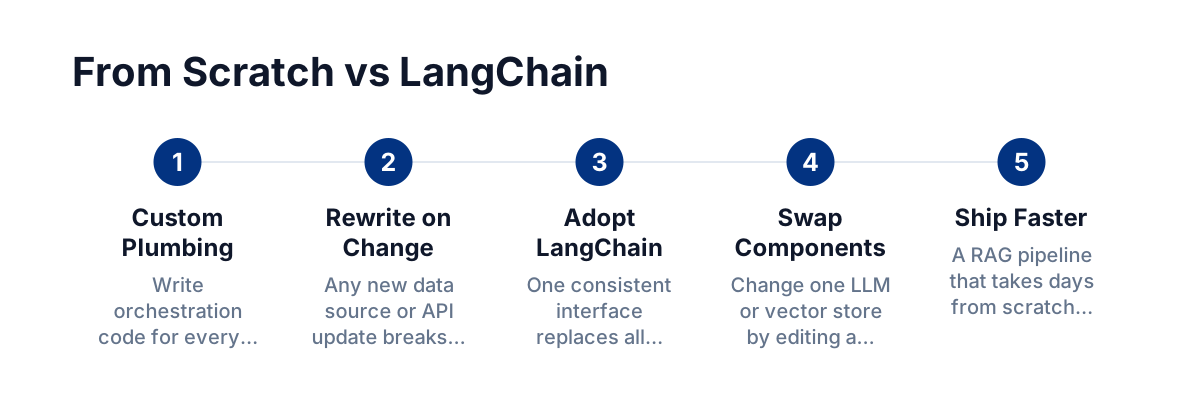
The honest answer: building custom orchestration code for LLMs is tedious and fragile. Every time a model API changes, every time you add a new data source, every time you need streaming output, you rewrite plumbing code. LangChain abstracts that plumbing behind a consistent interface.
Concrete benefits developers cite most often:
- Faster prototyping: a retrieval-augmented generation (RAG) pipeline that would take days from scratch can be working in hours.
- Swappable components: swap one LLM for another, or one vector store for another, by changing a single line.
- Production-tested patterns: agents, memory, and tool-calling patterns are already battle-tested by a large open-source community.
- Ecosystem integrations: out-of-the-box connectors for vector databases (Pinecone, pgvector, Chroma), document loaders (PDFs, Notion, web pages), and external APIs.
The Most Common Use Cases in 2026
Retrieval-Augmented Generation (RAG)
RAG is the dominant pattern for enterprise AI right now. You embed your own documents, store them in a vector database, and when a user asks a question, LangChain retrieves the relevant chunks and passes them to the LLM alongside the question. The model answers using your actual data, not just its training knowledge.
A B2B SaaS team might use this to build an internal knowledge base assistant that answers support queries using their own product documentation, cutting first-response time dramatically without exposing sensitive data to a public model.
Conversational Agents with Memory
Standard LLM APIs are stateless: every call is independent. LangChain's memory modules (ConversationBufferMemory, ConversationSummaryMemory, and others) let you persist context across turns. This is the foundation of any multi-turn chatbot, sales assistant, or onboarding flow that needs to remember what the user said three messages ago.
Tool-Using Agents
An agent built with LangChain can be given a set of tools, such as a web search function, a calculator, a CRM API, or a SQL query runner, and the LLM decides autonomously which tool to invoke based on the user's request. This is where AI stops being a text generator and starts acting as a workflow participant.
A practical example: an operations manager asks "What were our top five customers by revenue last month?" An agent queries the database, formats the result, and returns a clean answer in natural language. No dashboard, no SQL knowledge required on the user's side.
Document Processing Pipelines
Legal, finance, and logistics teams deal with enormous volumes of unstructured documents. LangChain's document loaders and text splitters can ingest PDFs, contracts, or invoices, chunk them intelligently, and run summarization, classification, or data-extraction chains at scale.
LangChain in a Modern Tech Stack
LangChain slots in cleanly alongside the tools product teams are already using:
- Backend: Node.js or Python (FastAPI, Express) as the API layer, with LangChain handling the AI logic.
- Frontend: React or Next.js calling that API, with streaming responses for a snappy, real-time feel.
- Vector store: pgvector on PostgreSQL if you want to stay in one database, or a dedicated store for higher-scale use cases.
- Deployment: containerized with Docker, orchestrated on Kubernetes, deployed on AWS or GCP with a standard CI/CD pipeline.
LangSmith, the observability platform from the LangChain team, deserves a mention here. It gives you traces, latency breakdowns, and prompt inspection for every chain run, which is essential once you move beyond prototype into production.
Common Mistakes and How to Avoid Them
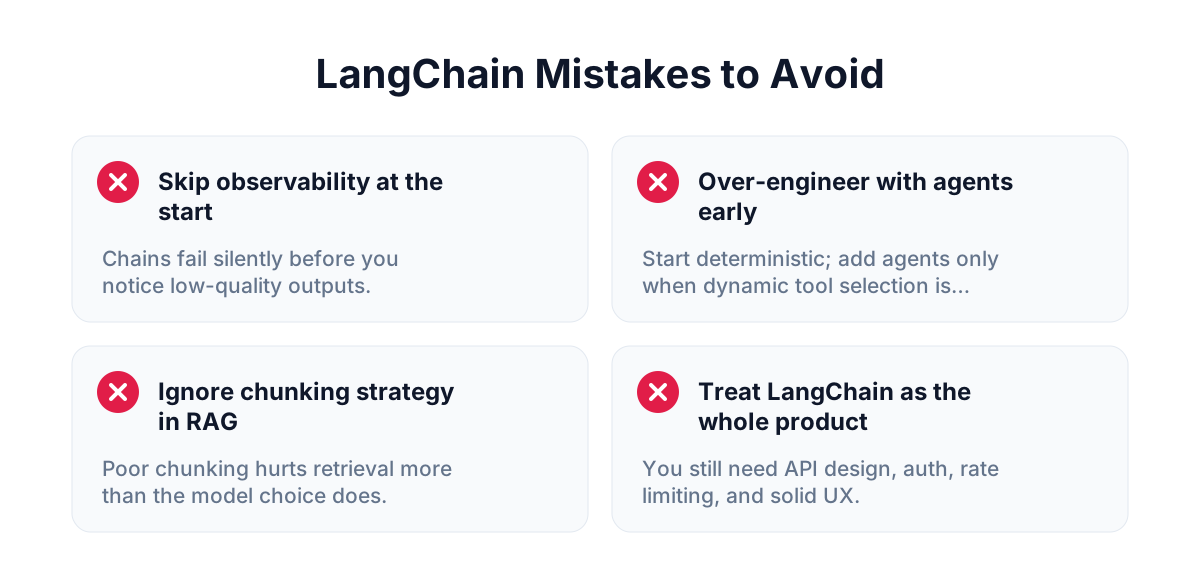
Skipping observability from day one. Chains fail silently or return low-quality outputs in subtle ways. Instrument every run with tracing before you even finish the prototype.
Over-engineering with agents too early. Agents are powerful but unpredictable. Start with a deterministic chain. Only introduce an agent when the task genuinely requires dynamic tool selection.
Ignoring chunking strategy in RAG. The quality of a RAG system depends as much on how you split and embed documents as on the model you choose. Chunk too large, and retrieval is imprecise. Chunk too small, and you lose context. Test with real queries early.
Treating LangChain as the whole product. LangChain is orchestration infrastructure. You still need a solid API design, authentication, rate limiting, and a thoughtful UX. The AI layer is one component, not the product itself.
Should You Build With LangChain or Use a Managed AI Service?
Use LangChain when:
- You need to connect the LLM to your own private data.
- You need custom multi-step logic or tool-using agents.
- You want full control over the prompts and the model being called.
- Your team has Python or JavaScript engineers who can maintain the code.
A simple, self-contained feature (a single-turn summarization button, a content generation input) might not need LangChain at all. A direct API call to an LLM is perfectly fine for isolated, stateless tasks. Do not add a framework where a function will do.
FAQ
Is LangChain production-ready in 2026?
Yes. LangChain has been used in production by thousands of teams since its early releases, and the ecosystem has matured significantly. LangSmith and LangGraph (for stateful, graph-based agents) address the two main gaps that existed in earlier versions: observability and complex agent state management.
What is the difference between LangChain and LangGraph?
LangGraph is a library built on top of LangChain that models agent workflows as directed graphs rather than linear chains. It gives you finer control over branching, loops, and state, which is critical for complex, multi-agent systems. Think of LangChain as the component library and LangGraph as the workflow engine for the most demanding use cases.
Do I need to use OpenAI with LangChain?
No. LangChain supports a wide range of models, including open-source and self-hosted options. You can use it with any LLM that exposes a compatible API, which means you can keep data on-premises if compliance requires it.
How long does it take to build a basic RAG application with LangChain?
A functional prototype, one that loads documents, embeds them, and answers questions from a vector store, can be built in one to two days by a developer already familiar with Python or Node.js. A production-grade version with error handling, authentication, and proper observability typically takes one to three weeks depending on scope.
---
LangChain has become the default starting point for teams that want to move from "AI experiment" to "AI feature in production" without rebuilding foundational infrastructure from scratch. If you are evaluating whether AI automation belongs in your product roadmap, understanding how these building blocks fit together is the right first step.